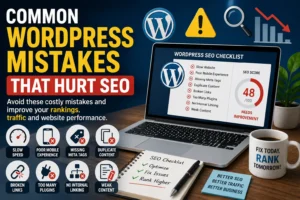
Meta Title: Common WordPress Mistakes That Hurt SEO in 2026
Meta Description: Learn which WordPress mistakes commonly reduce search visibility, weaken website performance, and limit organic growth—plus practical ways to strengthen SEO foundations.
Common WordPress Mistakes That Hurt SEO
Discover the hidden WordPress issues that quietly reduce rankings, traffic, and website growth—and how to avoid them.

Table of Contents
- Why SEO Problems in WordPress Often Come From Preventable Decisions
- Prioritizing Design Over Performance
- Slow Website Speed and Technical Friction
- Mobile Experience Issues
- Poor URL and Site Structure Choices
- SEO Plugin Misuse or Incomplete Setup
- Content Quality Problems
- Overusing Keywords Instead of Serving Readers
- Image Mistakes That Reduce Performance
- Weak Internal Linking Strategy
- Broken Pages and Technical Maintenance Problems
- Missing Metadata and Search Presentation Issues
- Security Gaps That Damage Trust
- Plugin Overload and Site Instability
- Treating SEO Like a One-Time Task
- Final Thoughts
Why SEO Problems in WordPress Often Come From Preventable Decisions
WordPress can support strong SEO, but small overlooked decisions often reduce its full potential.
Many websites lose rankings not because WordPress lacks capability, but because technical and strategic mistakes quietly weaken visibility.
- Slow speed
- Poor structure
- Weak content
- Technical friction
- Maintenance neglect
Prioritizing Design Over Performance
A visually attractive website may still underperform if design choices create technical inefficiency.
- Heavy themes
- Excessive animations
- Code bloat
- Poor responsiveness
Slow Website Speed and Technical Friction
Speed often influences both rankings and customer behavior.
Common Speed Problems:
- Weak hosting
- Large images
- Too many plugins
- Unoptimized scripts
Mobile Experience Issues
Mobile-first browsing means poor smartphone performance can directly reduce search success.
- Non-responsive layouts
- Small text
- Slow loading
- Difficult navigation
Poor URL and Site Structure Choices
Clean URL structures help both users and search engines understand page relevance.
| Weak Structure | Better Structure |
|---|---|
| yoursite.com/?p=123 | yoursite.com/wordpress-seo-mistakes |
SEO Plugin Misuse or Incomplete Setup
Installing an SEO plugin without configuring it fully can leave major opportunities untapped.
- Meta titles
- Descriptions
- Sitemaps
- Indexing settings
Content Quality Problems
Weak content often limits rankings even when technical SEO is strong.
- Thin blog posts
- Duplicate pages
- Repetitive content
- Low-value resources
Overusing Keywords Instead of Serving Readers
SEO works best when keywords support clarity—not when they dominate content unnaturally.
- Natural writing
- User-first structure
- Intent relevance
- Readable flow
Image Mistakes That Reduce Performance
Poor image optimization can slow websites and reduce accessibility.
- Large file sizes
- Missing alt text
- Generic filenames
- No compression
Weak Internal Linking Strategy
Internal links help distribute authority and improve user journeys.
- Better crawlability
- Improved navigation
- Authority flow
- Longer session duration
Broken Pages and Technical Maintenance Problems
Technical errors can quietly reduce trust and search efficiency.
- Broken links
- 404 errors
- Redirect loops
- Outdated resources
Missing Metadata and Search Presentation Issues
Metadata often influences click-through rates before users even visit your page.
- Meta titles
- Descriptions
- Snippet clarity
- Search presentation
Security Gaps That Damage Trust
Website security often supports SEO indirectly through trust and reliability.
- HTTPS
- Core updates
- Plugin updates
- Malware prevention
Plugin Overload and Site Instability
Too many plugins can create unnecessary complexity and performance issues.
- Slow loading
- Security vulnerabilities
- Code conflicts
- Database strain
Treating SEO Like a One-Time Task
SEO often requires continuous improvement.
- Content updates
- Technical audits
- Speed checks
- Search adaptation
Ready to Fix WordPress SEO Mistakes?
Improve website speed, structure, and SEO performance to create stronger visibility and better growth.